AI-Automated Executive Briefing System

Turn Noise → Signal Automatically. The DEB delivers a structured, AI-generated executive briefing every morning — synthesizing operational data, news, and priorities into a single, actionable daily brief. Built on Gumloop with a multi-node automation architecture.

The DEB Node Structure
AI
GPT-4 Powered
Daily
Automated Delivery
AI
Assembled Workflow
1
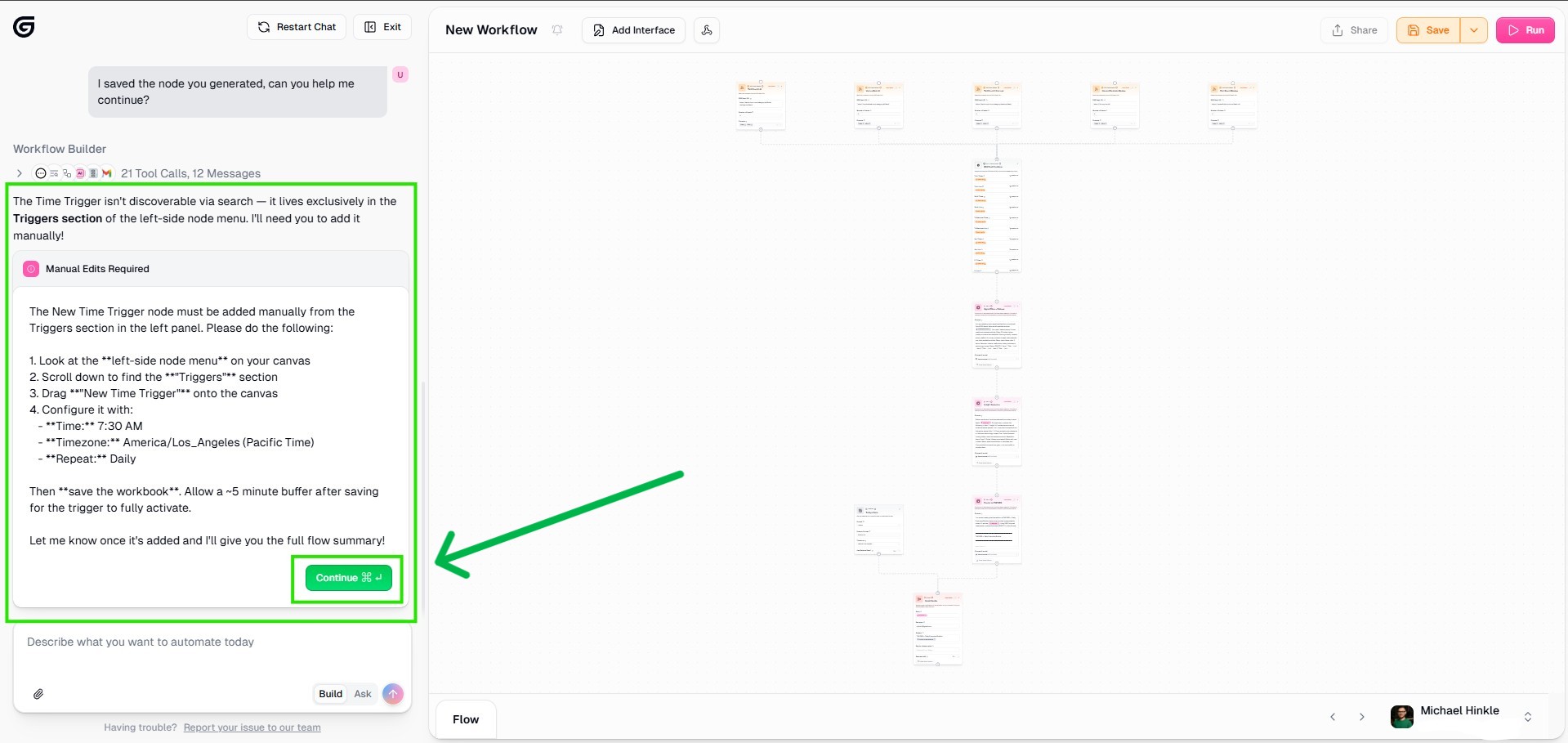
Manual Step — Time Trigger Setup
What Is The DEB?

Your Morning Brief. Automated. Intelligent. Actionable.

The DEB — Daily Executive Bubble — is an AI-powered briefing system that eliminates the cognitive overhead of morning information triage. Instead of spending 30-45 minutes scanning emails, news feeds, and operational dashboards, the DEB synthesizes it all into a single structured brief delivered before the workday begins.

Built on Gumloop with a multi-node workflow architecture, the DEB pulls from configurable data sources, runs them through a GPT-4 synthesis layer, and outputs a formatted executive brief tailored to the user's role, priorities, and communication preferences.

This is not a dashboard. It is not a summary tool. It is a fully automated intelligence briefing system — the kind of thing that used to require a dedicated analyst, now running on a $20/month automation stack.

Output Architecture

What the DEB Delivers Every Morning.

Every edition of the DEB delivers three core outputs. They are structured to move the reader from information to insight to action in under five minutes — no noise, no filler, no wall of AI text.

01
Top 3 Signals
The most important developments surfaced from configured feeds that day — ranked by relevance, deduplicated, and stripped of noise before they reach you.
02
Why It Matters
Context that turns raw information into insight. For each signal, the AI generates 1–2 lines on business or technology impact — so you know what to do with it, not just that it happened.
03
Forward-Looking Cues
Early indicators of what’s next. Each signal includes a forward-looking trend cue — a short synthesized read on where the signal points and what to watch.
What’s Happening Behind the Scenes

Four Stages. Zero Manual Work.

From the moment the trigger fires to the moment the brief lands in the inbox, the DEB runs a four-stage automated pipeline — invisible, reliable, and reproducible every morning.

Pulls Multiple Sources
Gathers from all configured RSS feeds simultaneously — no sequential bottlenecks, no missed sources.
Filters Signal
Applies relevance scoring and deduplication — only the top 3 highest-signal articles advance to the insight layer.
Adds Insight
Generates why-it-matters context and a forward-looking cue per article — turning raw headlines into executive intelligence.
Failover Protection
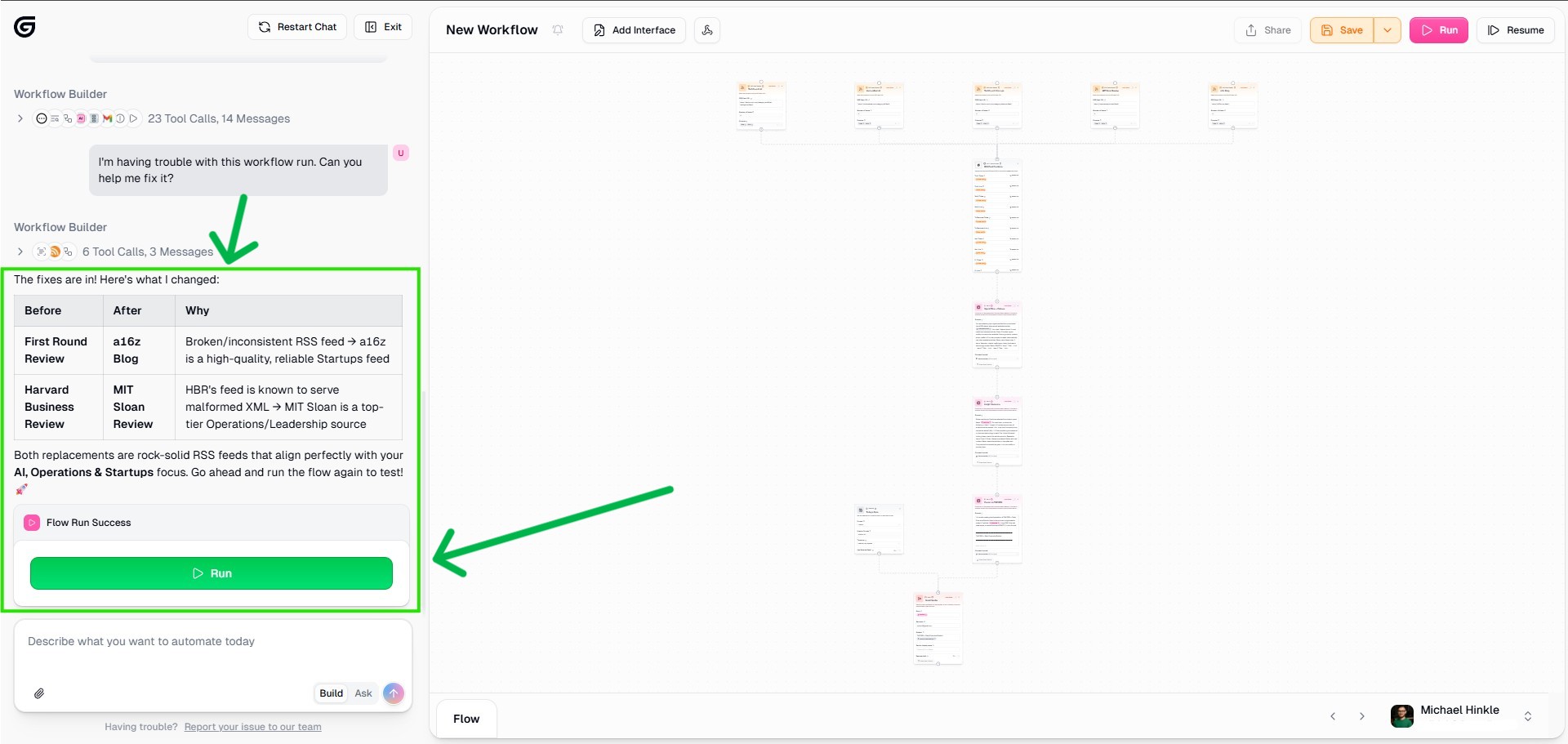
Retries failed steps automatically. If a feed is broken or returns weak content, the system substitutes a fallback source — you never receive an empty brief.
Build Walkthrough

How It’s Built — Step by Step.

The DEB is built on Gumloop. No coding required. The AI assembles the workflow from a single master prompt — you answer four questions and hit Run. Every screenshot below is from the actual build process.

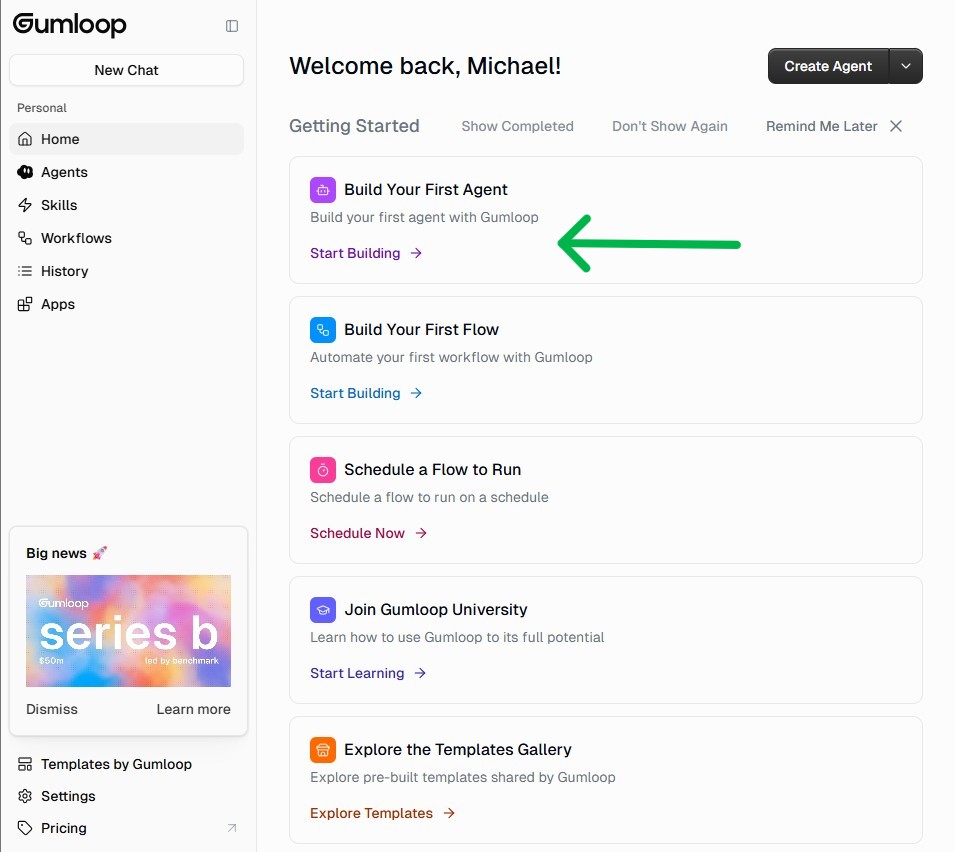
01
Login & Initialize Workspace
Access the Gumloop platform and initialize a new workflow. The DEB lives as a standalone automation that can be triggered manually or on a schedule.
Step 1
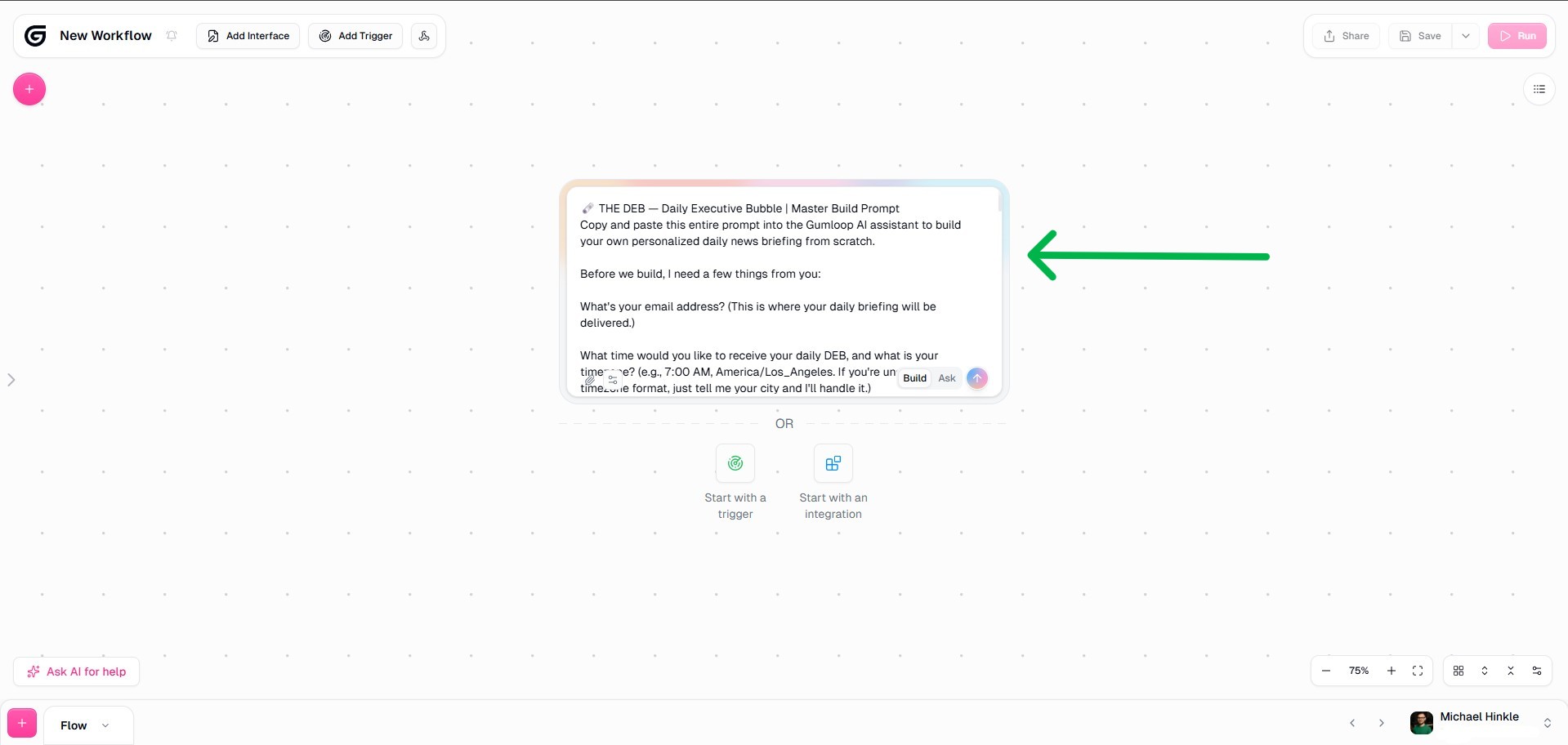
02
Enter the Core Prompt
The master prompt defines the DEB's output structure, tone, and priorities. This is the intelligence layer — where the briefing format, section headers, and synthesis instructions are encoded.
Step 2
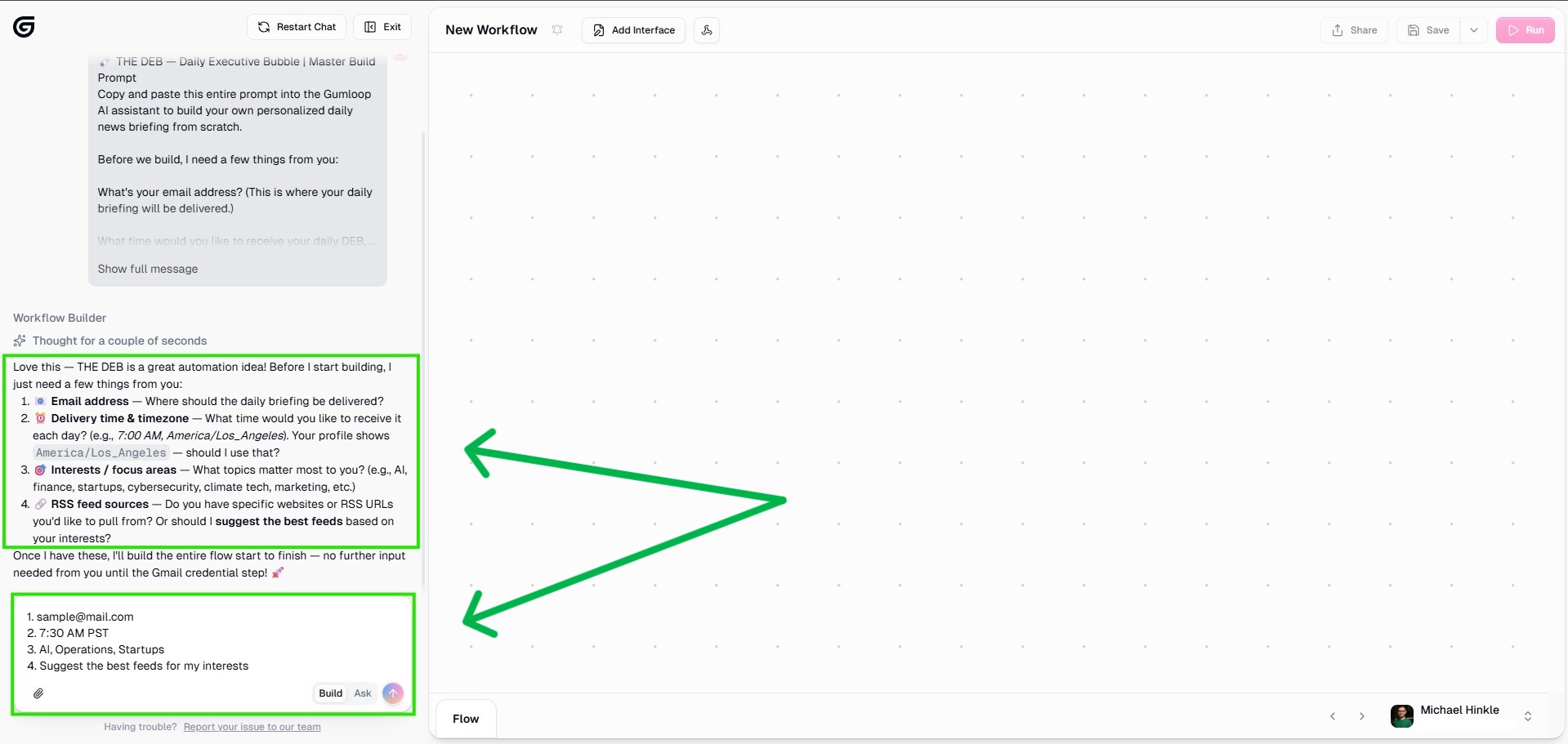
03
Configure Prompt Preferences
Role-specific preferences are set here — industry focus, communication style, priority weighting, and output length. This is what makes the DEB personalized rather than generic.
Step 3
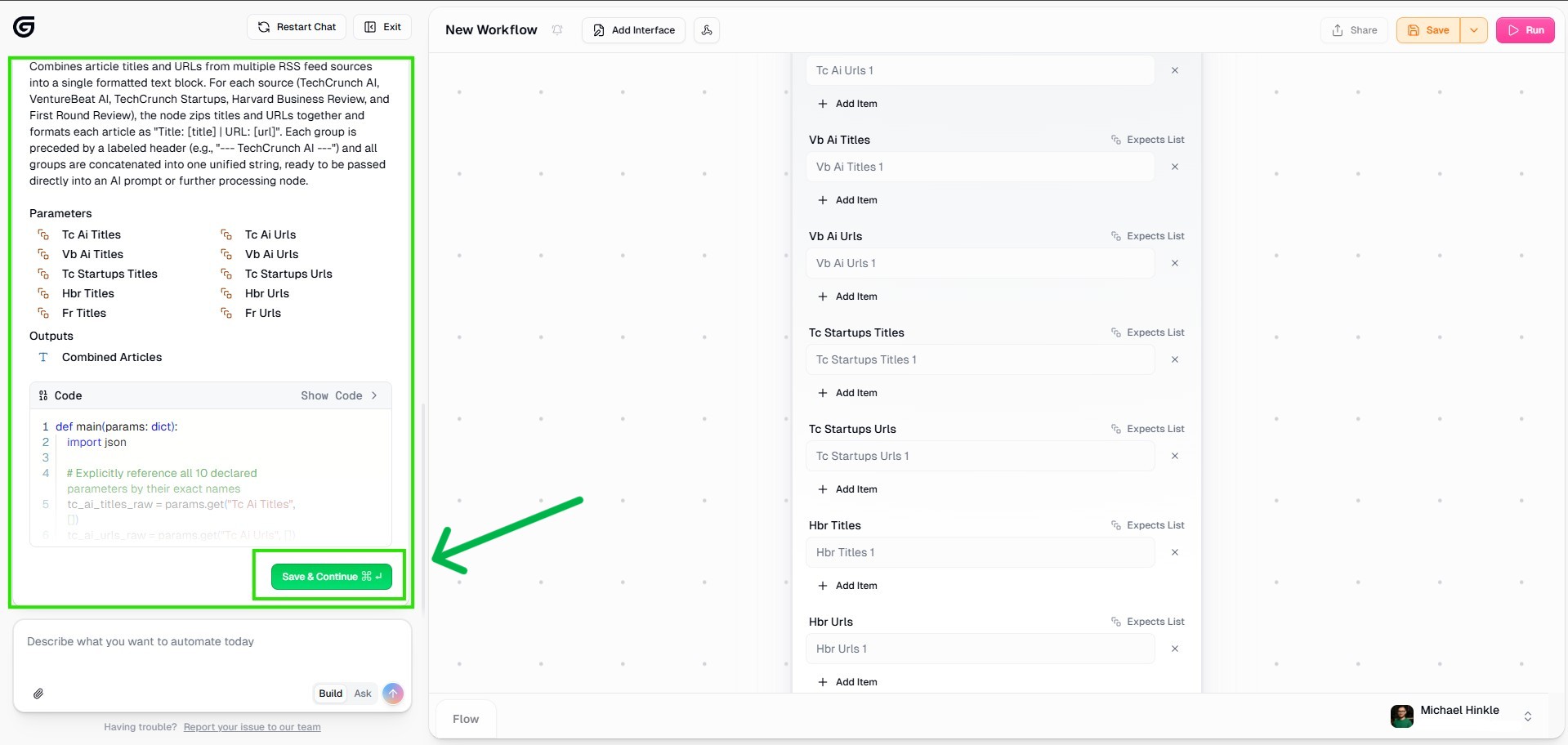
04
Build the Prompt Chain
The prompt chain connects data inputs to synthesis nodes. Each node handles a specific section of the brief — allowing modular updates without rebuilding the entire workflow.
Step 4
05
Extend & Refine the Chain
Additional synthesis nodes are added for market intelligence, operational data, and decision prompts. Each node feeds into the final assembly layer.
Step 5
06
Test the DEB Output
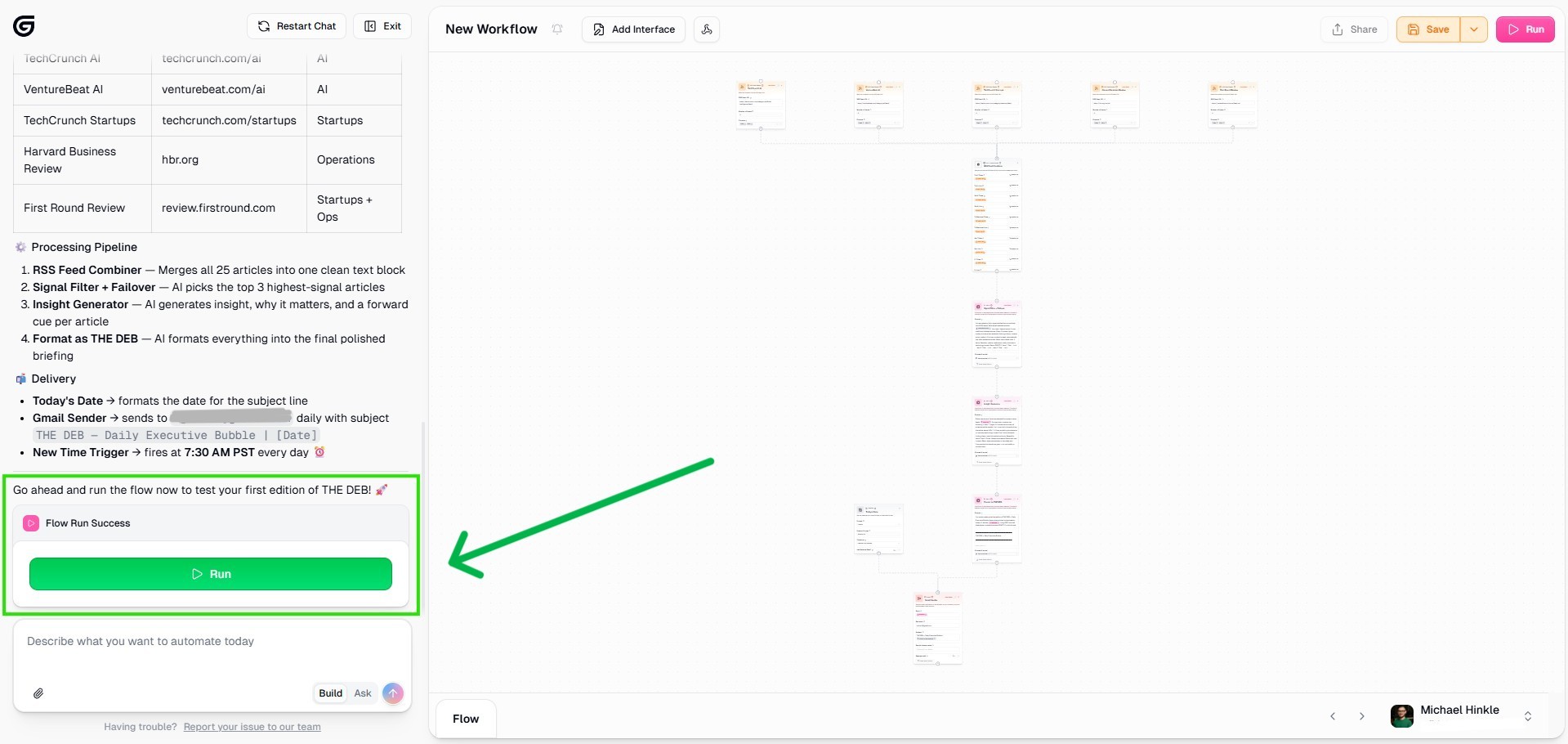
Initial test run reveals output quality and formatting issues. The first run is intentionally imperfect — the testing phase is where the brief gets shaped into something actually useful.
Step 6
07
Refine & Fix Output Quality
Prompt adjustments are made based on test output. This iteration cycle is where the DEB goes from "AI-generated text" to "executive-grade briefing."
Step 7
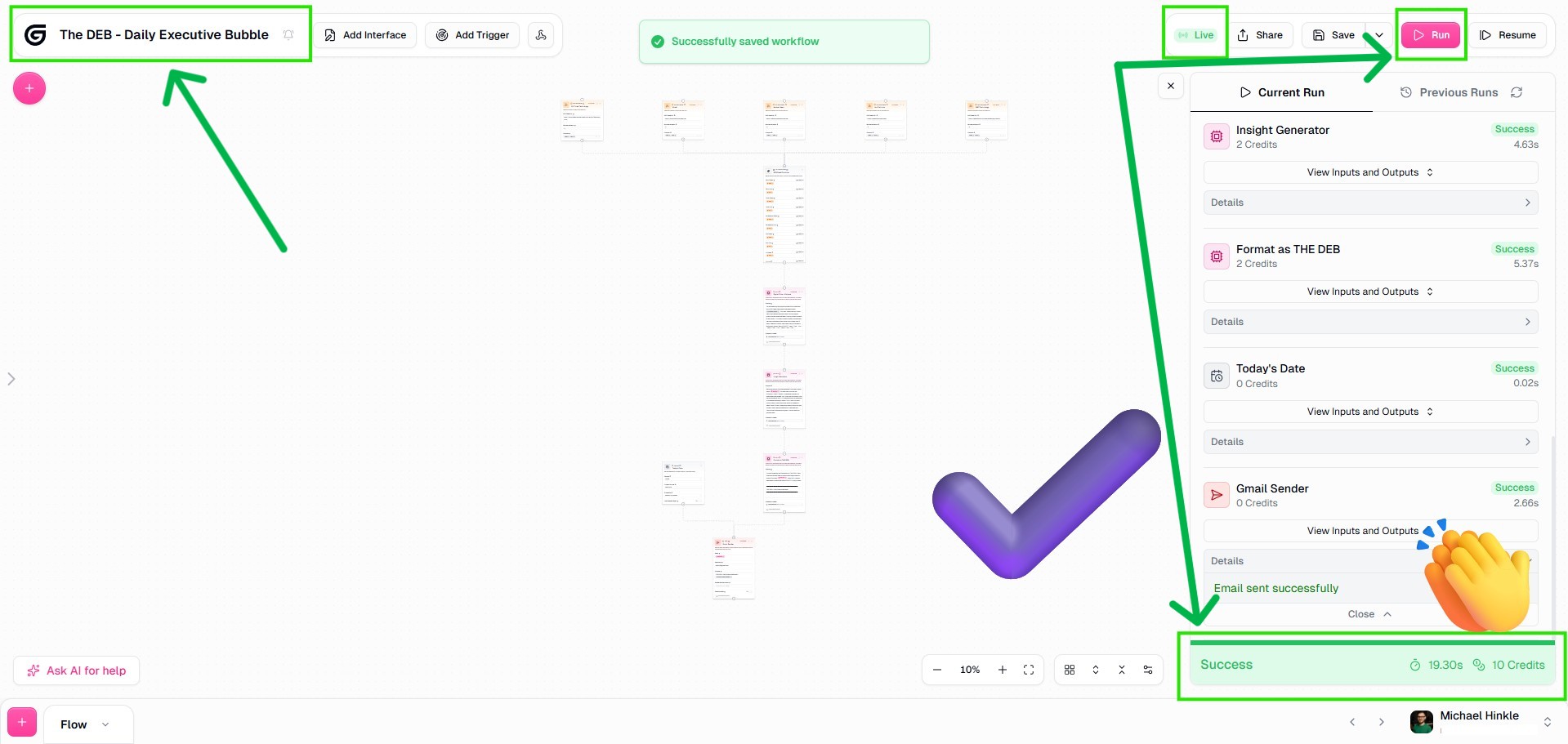
08
Run Final Test & Save
Final validation run confirms output quality across all sections. The workflow is saved and configured for scheduled delivery.
Step 8
09
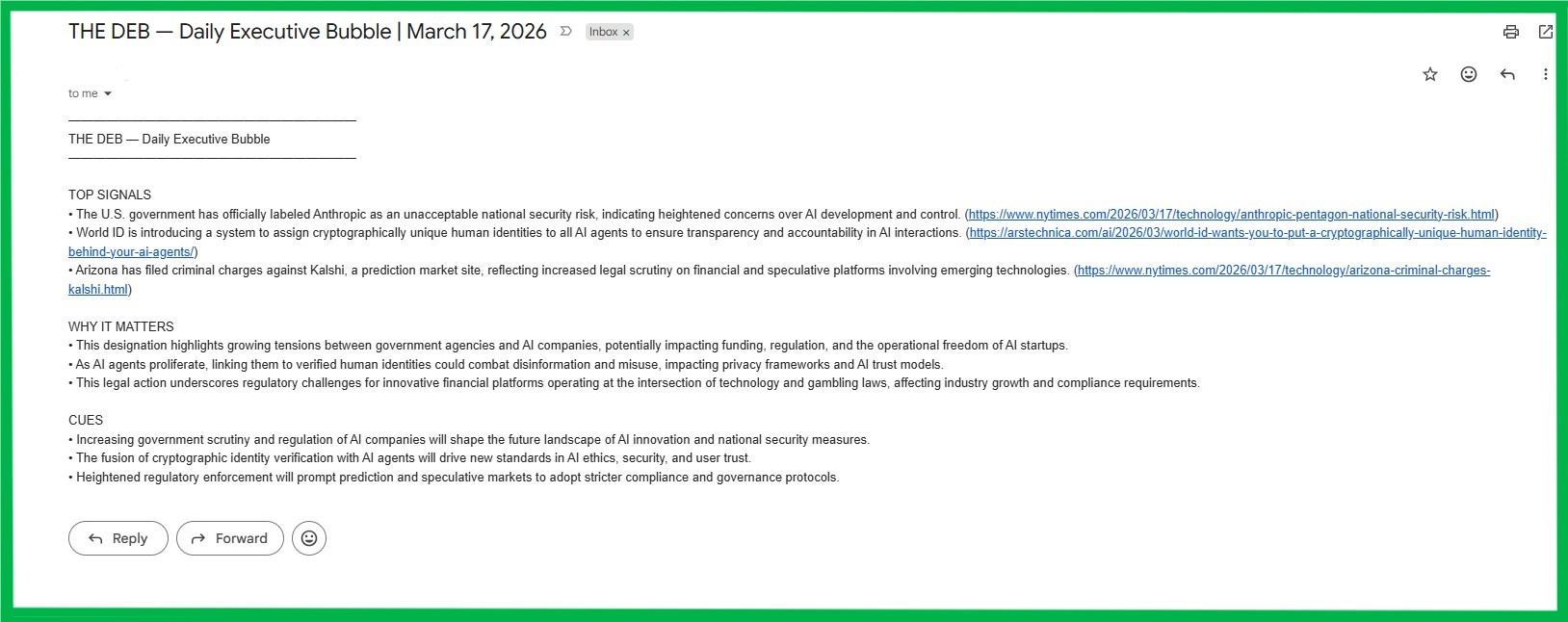
The DEB — Live Output
The final product: a clean, structured plain-text email delivered to your inbox each morning. Top Signals, Why It Matters, and Forward-Looking Cues — formatted for fast reading, with source links included. No dashboard. No app. Just signal, delivered.
The DEB final output email
Node Architecture

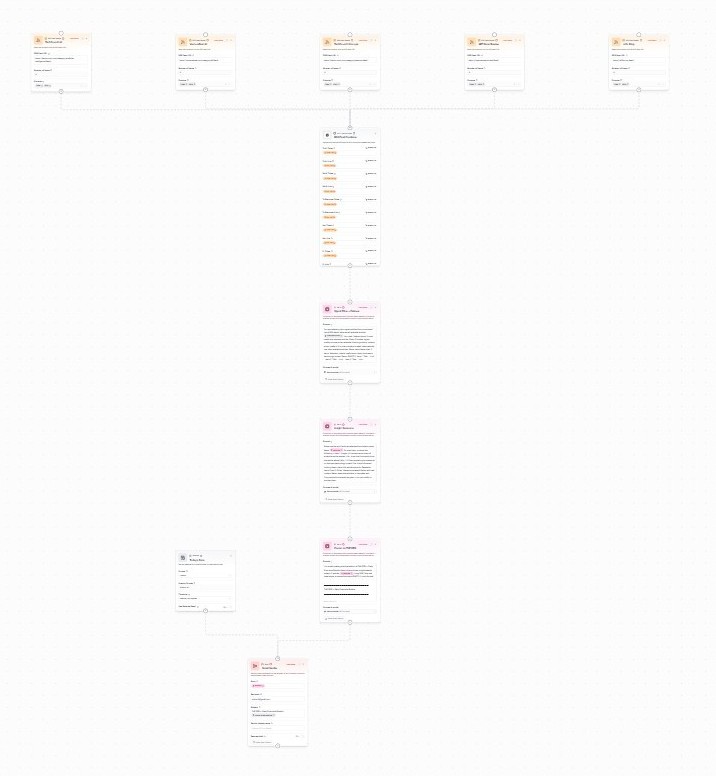
The Full Workflow Map.

Full Node Structure
Who Is The DEB For?

Built for Anyone Who Leads at Scale.

Operators & Program Managers
Multi-site managers and directors who need a daily operational snapshot without spending an hour pulling it together manually.
Founders & Builders
C-suite and founder-operators who need market intelligence, priority triage, and decision context before their first meeting of the day.
Anyone Overwhelmed by Information Noise
If your mornings start with 40 tabs and 200 unread emails, the DEB is for you. It doesn’t matter what industry. If you need signal before noise, this runs for you.
The DEB Primary Logo
Primary Logo
The DEB Secondary Logo
Secondary Logo
Built by Michael J. Hinkle III

What Would You Automate If You Got 1 Hour Back Every Week?

Turn daily noise into signal. Build your own DEB in minutes. Save ~1 hour/week. Start small. Scale fast.

The DEB is one of five AI systems in this portfolio — each built to solve a real operational problem, not to demonstrate technical curiosity. This is what applied AI enablement looks like from someone who has also led 10,000+ address logistics networks.

Full Build Prompt

Copy → Paste → Done.

No coding required. Paste the prompt below into the Gumloop AI assistant and answer four questions. The system builds itself.

THE DEB — Master Build Prompt Gumloop AI Agent Builder

Copy and paste this entire prompt into the Gumloop AI assistant to build your own personalized daily news briefing from scratch.

Before we build, I need a few things from you:

  1. What’s your email address? (This is where your daily briefing will be delivered.)
  2. What time would you like to receive your daily DEB, and what is your timezone? (e.g., 7:00 AM, America/Los_Angeles)
  3. What are your interests or professional focus areas? (e.g., AI & machine learning, finance, healthcare, startups, cybersecurity)
  4. Do you have specific websites or RSS feed URLs you’d like to pull from? (Or say “suggest sources for me” and the AI will recommend feeds based on your interests.)

Once you’ve answered the above, here’s exactly what we’ll build:

Build a flow called “THE DEB — Daily Executive Bubble” using the preferences above.

Step 1 — RSS Feeds: Add one RSS Feed Reader node per source. Each node pulls 5 items, outputting Titles and URLs only. Label each node by source name.

Step 2 — Combine Feeds: Add a custom node called “RSS Feed Combiner” that outputs a single formatted text block called “Combined Articles” listing each article as: Title: [title] | URL: [url]

Step 3 — Signal Filter (Ask AI): Nickname: “Signal Filter + Failover.” Prompt: “You are selecting high-signal articles from a combined RSS feed list. Select the top 3 most useful and relevant articles. Rules: Prioritize higher-quality sources. Never return fewer than 3 items. Selection criteria: usefulness, clarity, business or technology impact. Return EXACTLY: Item 1: Title: ... Link: ... Item 2: Title: ... Link: ... Item 3: Title: ... Link: ...”

Step 4 — Insight Generator (Ask AI): Nickname: “Insight Generator.” Prompt: “For each of the 3 selected articles, produce: Insight (1-sentence summary), Link (exact), Why (1–2 lines on relevance), Cue (short forward-looking trend). Rules: Always populate all fields. Never leave placeholders. Copy links exactly as given.”

Step 5 — Format as THE DEB (Ask AI): Nickname: “Format as THE DEB.” Output format: TOP SIGNALS / WHY IT MATTERS / CUES — each with 3 bullet items. Rules: Replace every placeholder with real content. Never output brackets, template text, or ellipses.

Step 6 — Today’s Date: Add a Datetime node. Format: %B %-d, %Y. Use the timezone provided.

Step 7 — Send via Gmail: Recipient: email provided. Subject: THE DEB — Daily Executive Bubble | [Today’s Date]. Body: formatted DEB output. Save as Draft: OFF.

Step 8 — Daily Trigger: Add a New Time Trigger. Set it to fire daily at the time and timezone provided. Note: Activating the time trigger requires one manual confirmation step — this is a standard Gumloop security feature to prevent users from accidentally auto-charging credits. Once confirmed, the DEB runs fully automatically every morning with no further input required.
Dedicated To

Debra Hinkle (1959–2015)

IT project manager, systems thinker, and someone who always cut through noise to focus on what mattered.

She shaped how I think about clarity, work, and building better systems.

I think she would’ve appreciated where technology is heading.

This project is built in that spirit.